
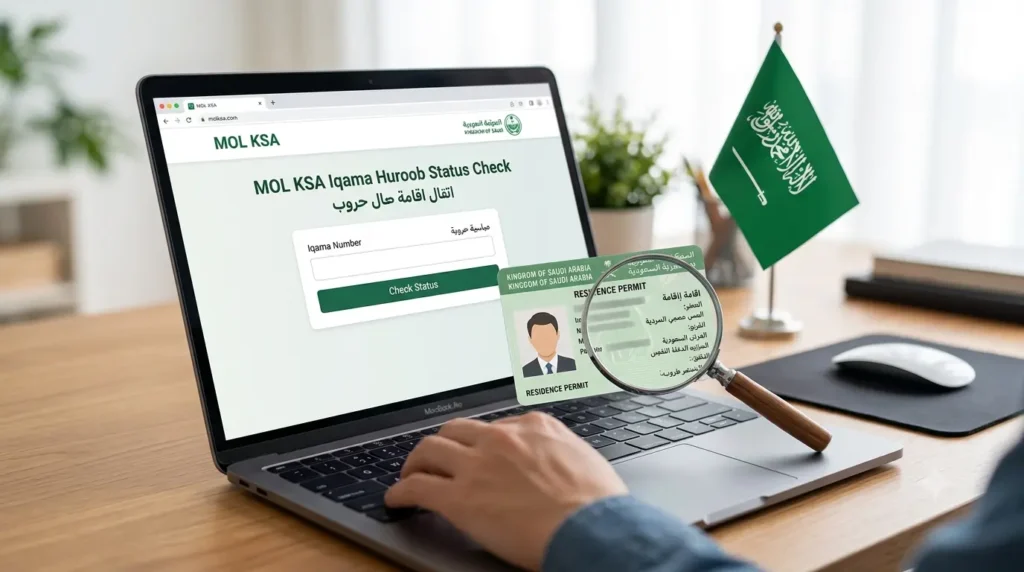
If you work in Saudi Arabia, your huroob status is one of the most important things on your record. A single employer report can block your Iqama renewal, stop a job transfer and put your legal stay at risk, sometimes before you even know it exists.
Table of Contents
The good news: a mol ksa iqama huroob check is free, takes about a minute, and needs no Absher login. You can check with your Iqama number, border number or passport number. This guide covers what huroob means, how to check it, how to read the result, and what to do in the 60-day window.
Quick Answer
Open the HRSD Non-Saudi Employee Inquiry, the service most expats still call the MOL inquiry. Enter one number, your Iqama number, border number or passport number, select your nationality if asked, type the image code and press Search.
- If the employment status shows On Duty, you have no huroob report.
- If it shows Absent from Work, a huroob report is recorded against you.
- If it shows Disconnected from Work, your contract relationship has ended and your 60-day window to transfer, re-contract or leave has started.
What Is Huroob in Saudi Arabia?
Huroob is an Arabic word that literally means escape or absconding. In the Saudi labour system it has a specific meaning: it is a formal report, filed by an employer, stating that a sponsored worker is absent from work without a legitimate reason.
Once recorded, the worker’s employment status changes to Absent from Work. That status is shared across government systems, which is why it affects your Iqama, your ability to transfer and your ability to leave through normal channels.
Huroob is not the same as an expired Iqama. An Iqama expires with time. Huroob is an active employment report, and it can exist even while your Iqama card shows a future expiry date.
The report is meant only for genuine absence. Under Saudi Labour Law, the absence ground is normally met after more than 15 consecutive days absent, or more than 30 days in total in a contractual year, without a valid reason. A report filed while you were at work or on approved leave is a false report, and it can be challenged.
Who Should Check Their Huroob Status?
Check your status in any of these situations:
- You have been absent from work, or left a job without completing the paperwork
- You are transferring to a new employer and want no surprises in Qiwa
- Your employer has threatened to file a report during a dispute
- You stayed abroad close to, or beyond, your exit re-entry visa limit
- Your Absher, bank or SIM services suddenly stop working
Check monthly. It costs nothing, and catching a change early gives you more options.
What You Need Before You Check
You only need one of these numbers, not all three:
| Detail you can use | Where you find it |
|---|---|
| Iqama number | Printed on your resident ID card |
| Border number | Stamped or recorded with your entry when you first arrived in Saudi Arabia |
| Passport number | Your passport, the one registered with Jawazat |
With a passport number, the form also asks for your nationality. You will also copy the image verification code shown on the page. No Absher account, password or fee is required.
Only use the official government page. Never trust unofficial sites that ask for your Iqama details or charge for a huroob check online. Every official check here is free.
Method 1: MOL KSA Iqama Huroob Check Through HRSD
This is the main mol huroob check online method. MOL is the old name, Ministry of Labor. The ministry is now the Ministry of Human Resources and Social Development, shortened to MHRSD or HRSD.
- Open the official HRSD Non-Saudi Employee Inquiry service. Its Arabic name means inquiry about an expatriate employee.
- The page may open in Arabic. That is normal. The fields are simple, and your browser translation can help.
- Choose the number you want to use and type it into its matching field: border number, Iqama number or passport number. Enter only one.
- If you used your passport number, select your nationality from the list. The form will not accept a passport search without it.
- Type the verification code exactly as shown in the image. If the image refreshes, use the new code.
- Press Search.
- Confirm the name and employer details on the result are really yours, then read the employment status field. That field is your answer.
The result may also show your employer’s evaluation, called the company or Nitaqat colour. That colour is your employer’s Saudization rating, not your personal status. A red company is an employer problem. Absent from Work is a personal problem. Do not confuse them.
Important: a search returning no record, or a validation error, does not prove a huroob report exists. It usually means a typing mistake or a renewed passport never updated in the system. Correct the details and search again.
Method 2: Check Your Status in Qiwa
Qiwa is where contracts, transfers and absence cases for company workers are now managed, so check it second, especially if the HRSD result is unclear.
- Sign in to your Qiwa individual account with your Iqama details.
- On your dashboard, find your current employment status and contract relationship.
- Read it carefully. A Disconnected from Work status appears in Qiwa first, before it becomes Absent from Work.
- Transfers to a new employer also run through Qiwa, so this account is essential during the 60-day window below.
If Qiwa and HRSD disagree, save dated screenshots of both and raise the case with HRSD.
Method 3: What Absher Can and Cannot Show
Many guides promise a direct huroob check in Absher. In practice, treat Absher as a cross-check of your residency status, not the main employment-status inquiry.
Log in and review your Iqama and passport services information. A serious problem can show up indirectly, through blocked services or a residency record that stops behaving normally. Treat those as warning signs, not proof. For a clear answer, use the HRSD inquiry and Qiwa. Absher also hosts the Tawasul service used in the domestic-worker cancellation route below.
Method 4: Muqeem and the Jawazat Office
Muqeem is an employer portal. Your employer, or a new employer processing your transfer, can see your Iqama details there, including any huroob flag. A worker cannot run a public Muqeem self-check, so be careful with any guide asking for your personal Muqeem login. Asking a prospective employer to confirm your status in Muqeem is, however, a normal part of a transfer.
If online checks are impossible, visit a Jawazat (General Directorate of Passports) office with your Iqama and passport. Staff can confirm your recorded status directly.
How to Read Your Result
| Status shown | Arabic | What it means |
|---|---|---|
| On Duty | علي رأس العمل | You are recorded as working for your employer. No huroob report. |
| Disconnected from Work | منقطع عن العمل | Your contract relationship has ended. Your 60-day window is running. |
| Absent from Work | متغيب عن العمل | A huroob report is fully recorded against you. Act immediately. |
Save a dated copy of your result whenever you check. It is useful evidence if a dispute starts later.
Disconnected From Work and the 60-Day Rule
This is the biggest recent change, and many older guides miss it. Since 31 July 2025, absence cases for company workers in Qiwa follow a sequence instead of an instant report.
First, the status becomes Disconnected from Work, for example when a contract has ended with no new contract in place. The worker then has 60 days to choose one option:
- Transfer to a new employer through Qiwa
- Sign a new contract with the same employer
- Leave Saudi Arabia legally
The reported conditions are an Iqama valid for at least 60 days and no active employment contract. If the 60 days pass with no action completed, the system automatically changes the status to Absent from Work, removes the worker from the employer’s records, and shares the status with the Ministry of Interior.
In plain terms: Disconnected is a warning with a deadline. Absent is the penalty after it. Act in week one, not week eight.
Common Reasons a Worker Gets This Status
- Leaving a job and starting informal work elsewhere without a formal transfer
- Absence after a salary or duties dispute, without filing a case or taking approved leave
- Not returning before an exit re-entry visa expires
- Sick leave or emergency travel that was never documented
- A false or retaliatory report during a conflict
Several of these are paperwork failures, not escapes. Written proof of leave approvals, resignations and salary problems is what protects you.
What Happens If Your Status Shows Absent From Work?
An unresolved absent status has serious, practical consequences:
- Your Iqama cannot be renewed when it expires
- A normal transfer to a new employer is blocked outside the routes below
- Normal exit and many government services are blocked
- You are treated as an illegal resident, so arrest can lead to detention and deportation
- Deportation can also bring a ban on returning to Saudi Arabia
Guides quote different ban lengths, from three to five years, but no single official figure is published for every case. The length depends on how the case ends. Fixing your status through the legal routes, and avoiding deportation, is the real goal.
Can a Huroob Report Be Removed?
Yes, but the route depends on whether you are a company worker or a domestic worker, and on timing. Do not pay an agent promising a quick deletion.
If your employer agrees
For domestic workers, including private drivers, the employer can cancel the report within 15 days of the report date through the Tawasul service on Absher. Official guidance also says a domestic worker’s report cannot be cancelled once it is more than one year old.
For company workers, the employer’s absence request starts the disconnected status and the 60-day window. The rules describe no simple cancel button after that. The way out inside the window is a transfer, a new contract where the employer cooperates, or a final exit.
If the report is wrong: dispute it
If you were at work, on approved leave, or the report was filed during a salary dispute, do not accept it quietly.
- Collect evidence: attendance or access records, salary payments through the Wage Protection System after the date you were supposedly absent, and messages showing work or approved leave.
- File a complaint through HRSD’s official channels, with the evidence attached.
- Attend the amicable settlement process if referred there. Many disputes end at this stage.
- If settlement fails, the case can proceed to the Labour Court, which can order the report cancelled.
Keep copies of everything and keep checking your status while the case runs. File through official channels so the filing itself is recorded and dated.
Tips to Avoid Huroob Problems
- Check your status after every job change, long leave or dispute
- Never leave a job informally. Complete the transfer or exit in Qiwa
- Keep written leave approvals, salary slips and bank records
- Return before your exit re-entry visa expires, and keep proof of any emergency delay
- Update your passport details with Jawazat after any renewal
- Act on a Disconnected status in the first week
Frequently Asked Questions
Q: How can I check my huroob status online?
A: Use the HRSD Non-Saudi Employee Inquiry, the official mol ksa iqama huroob check. Enter your Iqama, border or passport number, select nationality if you used a passport, type the image code and press Search. On Duty means clear. Absent from Work means a report is recorded. Qiwa also shows your status on its dashboard.
Q: Can I check huroob without Absher?
A: Yes. The HRSD inquiry works with no login or Absher account, which is why it is the recommended first check. A huroob check by Iqama number, border number or passport number is all done on that one free page.
Q: Can I check huroob status with my passport number?
A: Yes, if it is the passport registered with Jawazat. Enter it on the HRSD inquiry and select your nationality, as the form requires both. If you renewed your passport and the new number was never updated, use your Iqama or border number instead.
Q: What is the difference between Disconnected from Work and Absent from Work?
A: Disconnected comes first under the current Qiwa rules: your contract relationship has ended and you have 60 days to transfer, sign a new contract or leave Saudi Arabia. Absent from Work is applied automatically if those 60 days pass with no action, and it carries the full huroob consequences.
Q: Can my employer cancel the huroob report?
A: For a domestic worker, yes: within 15 days of the report, through Tawasul on Absher, and not after the report is over a year old. For a company worker, the system is built around the 60-day window rather than simple cancellation, so the practical solutions are a transfer, a new contract or a final exit, unless a complaint or court order cancels a false report.
Q: Can I transfer to a new employer if I have a huroob status?
A: During the Disconnected stage, yes: transfer through Qiwa is one of the three official options inside the 60 days. Once the status is Absent from Work, a normal transfer is blocked. Your routes then are an HRSD complaint if the report is false, or resolving the case through official channels first.
Q: How long is the ban after huroob?
A: No single official figure covers every case, even though many websites quote three or five years as fixed. A ban is linked to deportation and to how the case is resolved. Fixing your status inside the 60-day window, or winning a dispute over a false report, avoids the question entirely.