
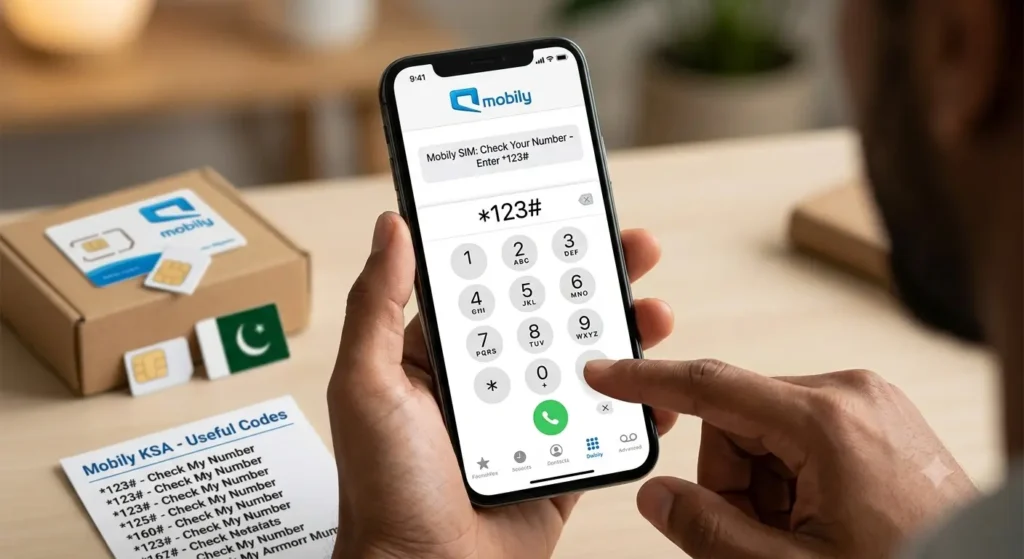
You have just bought a new Mobily SIM at the airport, or you have been using a second SIM for months and simply cannot remember the number. It happens to almost every expat in Saudi Arabia. You need the number to recharge, to register for Absher, to give to your employer, or to receive an OTP — and the number is nowhere on the phone.
Table of Contents
The good news is that you do not need to guess, and you do not need the internet. The Mobily SIM number check code shows your number on screen in a few seconds, free of charge. This guide walks you through that code first, then every backup method: SMS, the Mobily app, your phone settings, the official website, customer care, and the government service that lists every number registered on your Iqama.
Quick Answer: The Mobily Number Check Code
Dial *222# from your Mobily SIM and press the call button. Your 10-digit Mobily number appears on the screen almost instantly.
That is the whole process. It works without mobile data or Wi-Fi, it works at zero balance, and it works on basic phones as well as on Android and iPhone. If *222# does not work for any reason, keep reading — there are six more ways to find your Mobily number below.
All Mobily Number Check Methods at a Glance
| Method | What to do | Internet needed | Cost |
|---|---|---|---|
| USSD code | Dial *222# | No | Free |
| SMS | Send 1 to 1411 | No | Free |
| Mobily App | Open the app dashboard | Yes | Free |
| Mobily website | Log in at mobily.com.sa | Yes | Free |
| Phone settings | Check About Phone or My Number | No | Free |
| Call another phone | Ring a nearby phone and read the caller ID | No | Normal call rules apply |
| Customer care | Call 1100 from your Mobily SIM | No | Free |
| CST My Numbers | Check all numbers on your Iqama online | Yes | Free |
Method 1: Check Your Mobily Number With the USSD Code *222#
This is the fastest and most reliable method, and it is the one most people mean when they search for how to check a Mobily SIM number.
Follow these steps:
- Make sure your Mobily SIM is inserted and showing a signal.
- Open your phone dialer.
- Type *222# exactly.
- Press the call button, and if your phone asks, choose your Mobily SIM.
- Wait a few seconds. Your Mobily number will be displayed on the screen.
Write the number down or take a screenshot before you close the message, because the on-screen result disappears once you dismiss it on some phones.
This code is sometimes called the Mobily own number check code, and it works for both prepaid and postpaid lines. Visitors who have just activated a Hajj, Umrah, or tourist SIM can use exactly the same code — there is no separate code for new SIMs.
Method 2: Check Your Mobily Number by SMS
If the USSD code times out, the SMS route is a solid backup.
Follow these steps:
- Open your messaging app.
- Create a new message to 1411.
- Type the number 1 in the message body, with nothing else.
- Send the message from your Mobily SIM.
You will receive a reply with your account and balance details. On many lines the reply can include your SIM details, which helps you confirm you are checking the right number. Keep in mind that 1411 is primarily Mobily’s balance-by-SMS service, so if you only need the number itself, *222# in Method 1 is still the more direct option.
There is a second SMS worth knowing about. If you want to see every Mobily number registered under your Iqama — not just the SIM in your phone — send a blank SMS to 616166. Mobily will reply with the list of its numbers registered in your name. This is very useful if you bought several SIMs over the years and have lost track of them.
Method 3: Check Your Number in the Mobily App
The official Mobily app shows your number on the main dashboard, along with your balance, data, and package details.
Follow these steps:
- Download the official Mobily app from Google Play or the App Store. Check that the publisher is Mobily.
- Open the app and log in, or register if this is your first time.
- Look at the top of the dashboard. Your active Mobily number is shown with your account details.
The app is the best long-term solution because once you are registered, you never need to remember the number again — it is there every time you open the app. You can also recharge, buy packages, and check your remaining data from the same screen. The app needs an internet connection, so use it over Wi-Fi if your data package has run out.
Method 4: Check Your Number on the Mobily Website
If you prefer a computer, or your phone screen is damaged, the website works just as well.
Follow these steps:
- Go to mobily.com.sa.
- Click Log In or My Account.
- Sign in with your account details.
- Open your dashboard. Your Mobily number appears with your line and package information.
This method helps when the SIM is in a router or a second phone, because you can check the number from any device with a browser, as long as you can still receive the login verification code.
Method 5: Find Your Number in Your Phone Settings
Your phone may already be storing the number, even if you never saved it.
For Android:
- Open Settings.
- Tap About Phone, or open SIM Manager if your phone has one.
- Select your Mobily SIM.
- Look for Phone Number or My Number.
For iPhone:
- Open Settings.
- Tap Phone.
- Tap My Number.
- Your Mobily number will be shown if it was saved to the SIM profile.
This does not work on every phone. Some SIMs are issued without the number written to the card, so the field appears blank. If that happens to you, it does not mean your SIM is faulty — simply use *222# instead.
If you use an eSIM, open your mobile plan settings and select the Mobily plan. The number linked to that plan is shown in the plan details on most modern phones.
Method 6: Call or Message Another Phone
This old trick still works perfectly, and it needs no code at all.
- Put your Mobily SIM in a phone with active service.
- Call a friend’s phone, or a second phone you own, standing next to you.
- Your Mobily number will appear on their screen as the caller ID.
- Save the number in your contacts straight away.
You can do the same thing with an SMS. This method is the fastest fallback when you have zero balance for data but can still make a quick call, and it is also how you confirm which number belongs to which SIM in a dual-SIM phone: call once from each slot and label them.
Method 7: Call Mobily Customer Care on 1100
If none of the self-service methods work, Mobily support can confirm the number for you.
- Dial 1100 from your Mobily SIM. The call is free.
- Follow the menu to speak to customer service.
- Be ready to verify your identity with your Iqama or National ID details.
- Ask the agent to confirm the mobile number linked to your SIM.
Use this route if your SIM is damaged, blocked, or not activating. The agent can also tell you whether the line is active and registered correctly. If you are calling about a lost SIM, ask about blocking the line first, then about a replacement.
Method 8: Check All Numbers Registered on Your Iqama via CST
Sometimes the real problem is bigger than one forgotten number. Expats often discover old SIMs still registered in their name, which is a security risk because those numbers are linked to their Iqama.
The Communications, Space and Technology Commission — the CST, formerly known as the CITC — runs a free My Numbers service for exactly this.
Follow these steps:
- Go to the CST My Numbers inquiry service at mutasilind.cst.gov.sa.
- Enter your Iqama or ID number and your date of birth.
- Confirm whether you have a mobile number to receive a verification code.
- Enter the verification code sent to you.
- Review the result. It lists the operators and numbers registered in your name, including your Mobily number.
If you see a number you do not recognise, contact that operator to cancel it. Keeping your registered numbers clean protects your banking and Absher accounts, because OTP codes are only as safe as the SIMs attached to your ID.
Mobily Prepaid vs Postpaid: Does the Code Change?
No. The Mobily SIM number check code *222# is the same for prepaid and postpaid customers, and the steps do not change. The difference is only in what else you may want to check afterwards: prepaid users usually go on to check their credit balance, while postpaid users check usage against their monthly plan. Your number itself is retrieved in exactly the same way on both account types, and visitors on short-stay prepaid packages use the same code too.
How Mobily Compares With Other Saudi Networks
If your family or colleagues use different operators, each network has its own number check code. Mobily uses *222#. STC uses *150#, and you can read the full steps in our Zain SIM number check code guide if you also carry a Zain line.
| Network | Number check code |
|---|---|
| Mobily | *222# |
| STC | *150# |
| Zain | *144# |
Remember that each code only works on its own network. Dialling the STC code from a Mobily SIM will not show your Mobily number.
Why Is *222# Not Working? Troubleshooting
If the code fails, work through this list before you worry — the cause is almost always simple.
- Your SIM is not activated yet. A brand-new SIM can take a little time to activate. Wait, restart your phone, and try again once you see signal bars.
- You dialled from the wrong SIM. On a dual-SIM phone, the call may have gone out on your other line. Repeat the code and choose the Mobily SIM when prompted.
- You have no signal. USSD needs a live network connection. Move away from basements or thick-walled rooms and try again.
- Your SIM has gone inactive. A SIM left unused for a long period can be deactivated. Call 1100 or visit a branch to check its status.
- There is a temporary network issue. Wait a few minutes and try again, or use the app or SMS method instead.
If everything fails, visit a Mobily branch with your original Iqama or National ID and, if you have it, your SIM packaging. Staff can verify your identity and confirm the number registered to you.
Tips So You Never Lose Your Mobily Number Again
- Save your own number as a contact in your phone the moment you find it.
- Register in the Mobily app so your number is always one tap away.
- Keep the SIM packaging until activation is complete — the number is printed on it.
- If you manage SIMs for your family, check related costs the same way. For example, our Lebara balance check code and Jawwy balance check code guides use the same quick-code approach.
- Run the CST My Numbers check once a year and cancel any SIM you no longer use.
Frequently Asked Questions
Q: What is the Mobily SIM number check code?
A: The code is *222#. Dial it from your Mobily SIM and press call. Your 10-digit Mobily number appears on the screen within a few seconds, with no internet and no balance needed.
Q: Can I check my Mobily number without the internet?
A: Yes. The *222# USSD code, the SMS to 1411, calling another phone, and calling 1100 all work without any internet connection. Only the app, the website, and the CST My Numbers service need you to be online.
Q: Is there a fee to check my Mobily number?
A: No. Checking your number with *222# is free, the SMS and customer care methods listed here are free from a Mobily SIM, and the CST My Numbers service is a free government service.
Q: How can I check all Mobily numbers registered in my name?
A: Send a blank SMS to 616166 to get the Mobily numbers registered under your Iqama, or use the CST My Numbers service at mutasilind.cst.gov.sa to see every number from every operator registered on your ID.
Q: How can visitors check a new Mobily SIM number?
A: In exactly the same way. Once your visitor, Hajj, or Umrah SIM is activated and showing a signal, dial *222# and your new Saudi number will appear. Save it in your contacts straight away.
Q: What is the fastest way to check my Mobily SIM number?
A: Dialling *222# is the fastest method for the SIM in your phone. If you are standing next to another phone, calling that phone and reading the caller ID is just as quick.
Q: What should I do if *222# does not work?
A: Check that you are dialling from the Mobily SIM, that the SIM is activated, and that you have a signal. Then try the SMS, app, or settings methods in this guide. If nothing works, call 1100 for free or visit a Mobily branch with your ID.
Pingback: Jawwy Balance Check: Code, Data Balance & Package Guide
Pingback: How to Check Lebara Balance in Saudi Arabia: Code & Data