
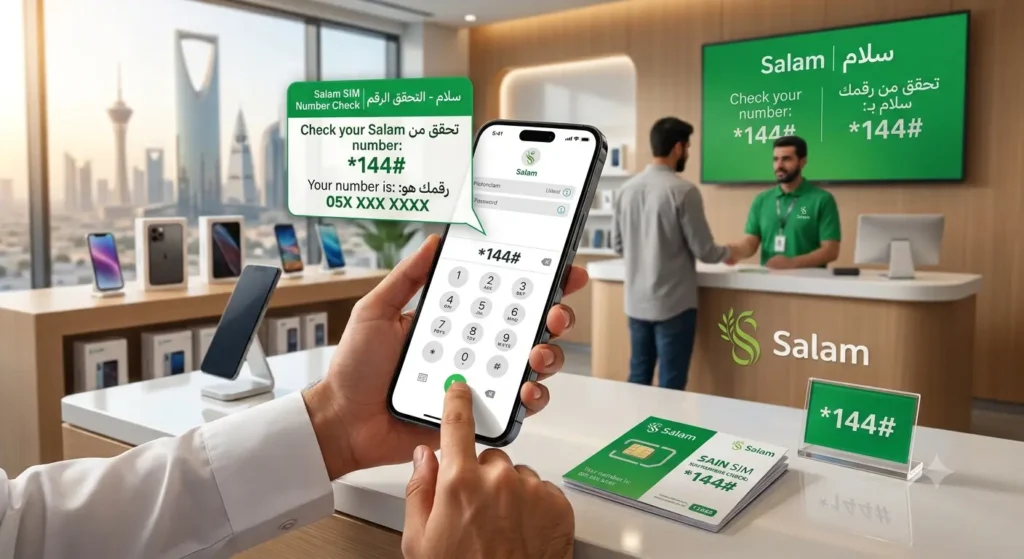
You bought a Salam SIM, put it in your phone, and now someone asks for your number — and you have no idea what it is. It happens to almost every new expat in Saudi Arabia. The packaging gets thrown away, and the number is rarely memorised in the first weeks.
Table of Contents
The good news is that a Salam SIM number check takes less than a minute. You can dial a short code, open the mysalam app, check your phone settings, or call another phone. This guide explains every method, including how to check without internet, what to do on a dual-SIM or eSIM phone, and how to see every number registered on your Iqama.
One clarification: this guide is about Salam Mobile in Saudi Arabia. If search results mention Salaam in Afghanistan, that is a different operator in a different country, and its codes will not work on a Saudi Salam SIM.
Quick Answer: Salam SIM Number Check Code
The widely reported Salam SIM number check code is *107#.
- Open the phone dialer on the phone that has your Salam SIM in it.
- Type *107# exactly as shown.
- Press the call button. If you have two SIMs, choose the Salam SIM when the phone asks.
- Your Salam mobile number appears on the screen. Note it down or take a screenshot before you close the message.
The code is free and works without Wi-Fi or mobile data, because USSD codes travel over the mobile signal itself. It is the fastest answer to how to check Salam SIM number in Saudi Arabia, and it is why “salam sim number check code” is what most people search for.
A note on accuracy: Salam does not publish a USSD code list on its own website, so *107# comes from independent Saudi expat guides that all list the same code. If it ever fails on your line, do not keep guessing other codes you see on random pages — use the app, settings, or customer care methods below, which are confirmed by Salam itself.
Salam Mobile Codes at a Glance
These are the other Salam codes worth saving alongside the number check — balance, data, and recharge.
| Service | Code or Number | What It Does |
|---|---|---|
| Check your number | *107# | Shows your Salam mobile number on screen |
| Check balance and data | *103# | Shows your remaining balance, data, and validity |
| Recharge with a voucher | *101*Voucher Number# | Loads a prepaid recharge voucher onto your line |
| Customer care in Saudi Arabia | 1101 | Salam support from any Salam line |
| Customer care from abroad | +966511011101 | Salam support when you are outside Saudi Arabia |
If you also use a second network, the steps differ slightly per operator — for example, the Zain SIM number check code works in a similar way but uses a different code, so always dial the code that belongs to the SIM in the phone.
Method 1: Check Your Salam Number With the mysalam App
The mysalam app (also written MySalam or My Salam) is Salam’s official app, published by Etihad Salam Telecom Company on Google Play and the App Store. If your SIM is activated and registered, this is the most reliable method, because the number is printed inside your own account.
- Download mysalam from Google Play or the App Store, if you have not already.
- Open the app and sign in. New users usually verify with a code sent by SMS.
- Look at the home or account dashboard. Your registered Salam number is shown with your plan and balance details.
- From the same dashboard you can also check balance and data, recharge, and renew your plan.
Salam’s own help pages direct customers to this app for SIM activation, eSIM requests, and plan changes, so installing it solves far more than the number check. You do need internet for this method — with no data and no Wi-Fi, use the code or the offline methods below.
Method 2: Find Your Number in Phone Settings
Many phones store the number of the SIM inside them. This method is free and offline, but there is one honest catch: on a lot of Saudi SIMs the number field is simply blank, because the operator never wrote the number onto the SIM profile. Try it — just do not panic if nothing shows.
On Android
- Open Settings.
- Tap About Phone, or search Settings for “SIM status” or “Phone number”.
- If you have two SIMs, select the Salam SIM slot.
- Look for the Phone number field. If your number is stored, it will be listed there.
- On some brands the same screen is under Settings, then Network and Internet, then SIMs, then tap the Salam line.
On iPhone
- Open Settings, then tap Phone.
- Tap My Number. If the Salam line stored its number, it appears here.
- With two lines, check under Settings, then Mobile or Cellular, and tap the Salam line to see its details.
If the field is empty on either system, your phone is not broken and your SIM is not faulty. The number was simply never saved to the SIM. Move on to the next method.
Method 3: Call or Send an SMS to Another Phone
This is the oldest trick in Saudi Arabia, and it still works on any phone, smart or basic.
- Borrow a friend’s phone, or use your second phone.
- Call that phone from your Salam SIM, or send it any SMS.
- Your Salam number appears on the other phone’s screen as the caller or sender.
- Save the number in your contacts under your own name straight away.
You need a small amount of balance or an active plan for the call or message to go through, and the Salam SIM must have signal. If the SIM is brand new and not activated yet, finish activation first — Salam activates SIMs inside the mysalam app, where you select Activate your SIM, enter your details, verify with the code sent to you, and confirm through Absher or at a Salam counter.
Method 4: Check All Numbers Registered on Your Iqama (CST Mutasil)
Sometimes the real question is bigger: not “what is this one number?” but “how many SIMs are on my Iqama, and what are they?” For that, use the regulator’s free service. The Communications, Space and Technology Commission (CST, formerly CITC) runs a service called Inquire About My Numbers, also known as Arqami, on its Mutasil portal.
- Open the Mutasil portal and choose the Inquire About My Numbers service. No login is needed for the basic check.
- Enter your Iqama number in the Person ID field and your date of birth.
- Answer whether you have a mobile number. Choose Yes and enter one number you already know, or choose No if you do not have a Saudi number yet.
- Enter the captcha code and select Inquire.
- The result lists the active, authenticated mobile and data SIMs registered to your ID, across every network, including Salam.
This is also the right check if you run a Salam data SIM in a router or tablet. A data SIM has no screen and cannot dial *107#, so the app and the CST list are the practical ways to confirm its number.
If the list shows a number you do not recognise, act quickly, because a number registered to your Iqama is your legal responsibility. Contact that operator and ask for cancellation. If the operator has not solved it within five working days, escalate the complaint to CST through the Mutasil portal or by calling 19966.
Method 5: Contact Salam Customer Care or Visit an Outlet
If none of the self-service methods work — for example, the SIM is inactive, the app will not let you in, or the code returns an error — go straight to Salam.
- From a Salam line in Saudi Arabia, call 1101.
- From another network or from abroad, call +966511011101.
- Or visit a Salam outlet with your original Iqama or National ID and the SIM itself.
After an identity check, support can confirm the number linked to your SIM. Salam’s own terms list 1101 as its customer support helpline, and its contact page publishes the abroad number above, so these are the safest numbers to trust — not support numbers copied from unrelated websites.
Bring your ID even for a simple question. In Saudi Arabia, SIM services are tied to your Iqama through fingerprint and Absher verification, and staff cannot discuss a line that is not proven to be yours.
Salam Number Check on Dual-SIM and eSIM Phones
Dual-SIM phones cause most failed attempts. The code only answers for the SIM you dial it from, so if your Salam SIM is in slot 2 and your phone dials out on slot 1, you will see the wrong network’s response — or nothing at all. Before dialling *107#, set the Salam line as the default for calls, or pick it in the SIM chooser that pops up. In Settings, also check the Salam slot specifically, not the other SIM’s page.
eSIM users have no plastic SIM and often no packaging to read. Your options are the same digital ones: dial *107# while the Salam eSIM line is active, open the mysalam app, or check the CST Mutasil list. Salam confirms eSIMs are handled through its outlets and the mysalam app, including replacing a physical SIM with an eSIM, so the app is the natural home for an eSIM number.
Why You May Need Your Salam Number More Often Than You Think
Expats usually go looking for their number when registering it for Absher, bank, or delivery app one-time passwords, giving it to an employer or courier, recharging the right line, or replacing a lost SIM. Saving it once, properly, avoids repeating this search every time.
Troubleshooting: Salam Number Check Not Working
- The code returns an error or a blank response. Check you typed *107# exactly, that you have Salam signal, and that you dialled from the Salam SIM. Restart the phone and try once more.
- The settings screen shows no number. This is common and means the number was never written to the SIM profile. Use the code, the app, or call another phone instead.
- The app will not log in. The app verifies you by SMS code, so the Salam SIM must be in a phone that can receive that SMS. If the OTP never arrives, call 1101.
- The SIM shows no service. It may not be activated yet, or it may have gone inactive after long non-use. Complete activation in the app, or visit an outlet with your Iqama.
- The CST list does not show your Salam number. The service only lists active and authenticated numbers. A line that was never fingerprint-authenticated must be sorted out with Salam directly, or it can be cancelled.
Tips to Never Lose Your Salam Number Again
- Save your number in your contacts under your own name as soon as you find it.
- Take a screenshot of the *107# result or the app dashboard and keep it in your photos or notes.
- Keep a photo of the SIM packaging or the activation SMS Salam sent you.
- Keep the mysalam app installed and signed in — it shows your number, balance, and plan in one place.
- Run the CST Iqama check once or twice a year, so unknown lines never sit on your ID unnoticed.
Frequently Asked Questions
Q: What is the Salam SIM number check code in Saudi Arabia?
A: Dial *107# from your Salam SIM and press call. Your mobile number appears on the screen. The code is free and works without internet. It is listed consistently by independent Saudi guides, although Salam does not publish a code list on its own website, so if it fails, use the mysalam app or call 1101.
Q: How can I check my Salam SIM number without internet?
A: Use the *107# code, call or SMS another phone so your number shows on its screen, or check your phone settings. None of these needs Wi-Fi or mobile data. The mysalam app and the CST portal are the two methods that do need internet.
Q: How do I check my Salam balance and data?
A: Dial *103# to see your remaining balance, data, and validity on screen. You can also see the same information in the mysalam app dashboard, which shows your plan and usage in more detail.
Q: How do I recharge my Salam SIM?
A: Dial *101* followed by your voucher number and then #, for example *101*VoucherNumber#. You can also recharge inside the mysalam app. After recharging, dial *103# to confirm the balance arrived.
Q: Can I check my Salam number in the mysalam app?
A: Yes. Sign in to the official mysalam app and your registered number is shown on your account dashboard with your plan and balance. Salam directs customers to this app for activation, eSIM, and account management, and it is available on Google Play and the App Store.
Q: How can I see all the SIMs registered on my Iqama, not just Salam?
A: Use the CST Inquire About My Numbers (Arqami) service on the Mutasil portal. Enter your Iqama number and date of birth, answer the mobile number question, complete the captcha, and select Inquire. It lists the active numbers on your ID across all Saudi networks.
Q: What should I do if I still cannot find my Salam number?
A: Call Salam customer care on 1101 from inside Saudi Arabia, or +966511011101 from abroad, or visit a Salam outlet with your Iqama and the SIM. After verifying your identity, staff can confirm the number linked to your line.