
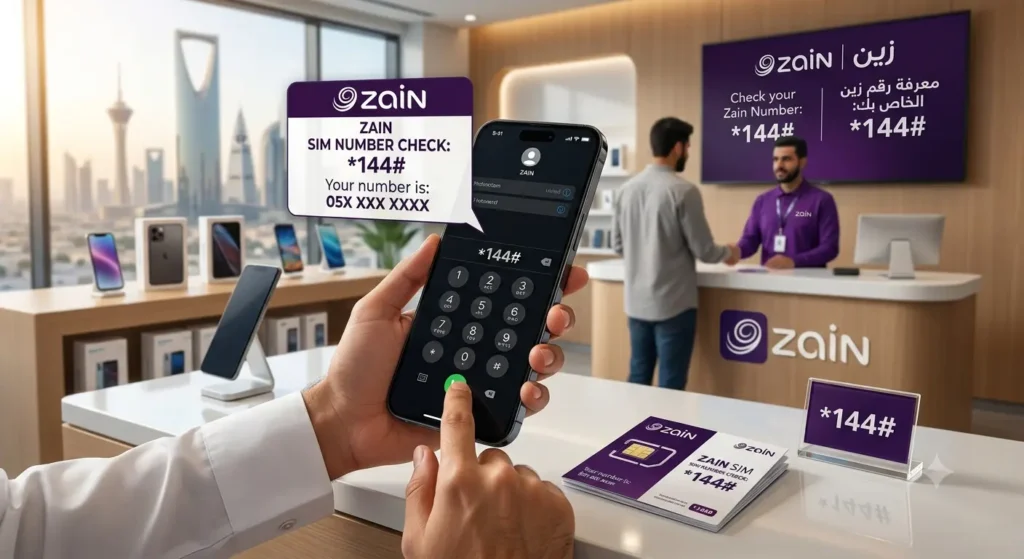
You just bought a new Zain SIM at the airport, moved an old card into a second phone, or set up a data SIM in your router — and now someone asks for your number and you draw a blank. It happens to almost every expat in Saudi Arabia.
Table of Contents
Finding your number takes less than a minute. The Zain SIM number check code *144# is the fastest option, and there are nine more free ways if it does not respond, including an SMS method, the Zain KSA app, phone settings, and the official CST service that lists every number under your Iqama.
Quick Answer: The Zain SIM Number Check Code
Three fastest options:
- Fastest: Dial *144# from your Zain SIM and press call. Your number appears within seconds.
- By SMS: Send a blank SMS to 700123. Zain replies with the numbers registered in your name.
- In the app: Open the Zain KSA app and check the dashboard or Profile section.
All three are free. The USSD code and SMS work at zero balance and need no internet.
One honest note: *144# is reported by Zain users and expat guides across Saudi Arabia and works for most lines, but Zain does not publish it on its official support pages. If it fails, the app, SMS method, and customer care on 959 are confirmed official channels.
Why You Might Need to Check Your Zain Number
In Saudi Arabia your mobile number is tied to almost everything:
- Government services: Absher, Nafath, Muqeem, and Qiwa send one-time passwords to the number linked to your Iqama.
- Recharging and bills: Bank apps, SADAD, and vouchers ask for the exact number to top up.
- Sharing and verification: Colleagues, your sponsor, and delivery drivers need your number, and a fresh WhatsApp install needs it for the SMS code.
- SIM registration checks: Every Saudi SIM is linked to an Iqama or national ID, and expats often juggle several lines. Checking the numbers under your name helps you spot old or unknown SIMs.
Method 1: Dial *144# — The Main Zain Number Check Code
This is what most people mean by the Zain SIM number check code in Saudi Arabia. It works on any phone, with no balance and no internet.
Follow these steps:
- Insert your Zain SIM, or make sure your Zain eSIM line is switched on.
- Open the phone dialer.
- Type *144# exactly, starting with the star and ending with the hash key.
- Press call. On a dual SIM phone, choose the Zain line if asked.
- Wait a few seconds. A pop-up appears showing your Zain mobile number.
- Screenshot or write down the number before closing the pop-up, because it disappears once dismissed.
A few guides also list *23# as a backup code. Reports on it are mixed, so treat it as one quick extra try. If neither code responds, move to the SMS method below.
Method 2: Send a Blank SMS to 700123
If the USSD code does not work, or you want your number in writing, use the SMS method. It also checks all Zain numbers under your Iqama at once.
Follow these steps:
- Open the Messages app on the phone holding your Zain SIM.
- Start a new message to 700123.
- Leave the message body completely empty.
- Send it from your Zain line.
- The automatic reply lists the Zain numbers registered under your Iqama or national ID.
Because the reply shows every Zain line in your name, it is perfect if you half-remember buying an old Zain SIM. It is free and works with zero balance. For all networks under your Iqama, use the CST method in Method 7.
Method 3: Check Your Number in the Zain KSA App
The official app is called Zain KSA (listed as Zain SA) in the app stores, published by Zain Saudi Arabia. It is the most reliable method outside Saudi Arabia, because it works over Wi-Fi and needs no Zain network signal.
Follow these steps:
- Download and install the Zain KSA app from your app store.
- Sign in. New users register with their ID details and the one-time password sent by SMS.
- Check the main dashboard, where your active Zain number is shown with your account information.
- If you do not see it, open the Profile or Account Info section, where the number is listed in full.
In the app you can also check balance and data usage, recharge, and pay bills.
Method 4: Use the Zain Website and My Account Portal
Prefer a bigger screen? Open sa.zain.com, go to My Account, sign in, and open the account or SIM details section. Your Zain number appears with your package and billing information.
Method 5: Check Your Number in Phone Settings
Your phone may already store the number on the SIM profile. This works offline and abroad, but only if the number was written to the SIM when issued.
On Android
- Open Settings.
- Tap About Phone, then SIM Status or SIM Card Information. On some phones this is under Network and Internet, then SIMs.
- Select your Zain SIM and look for the Phone Number field.
On iPhone
- Open Settings and tap Phone.
- Look at My Number at the top of the screen. The number also appears under Settings, General, About, in the SIM details.
If the field says Unknown or stays blank, the number was never stored on that SIM. That is common, not a fault. Use the code, SMS, or app method instead.
Method 6: Call or Message Another Phone
The oldest trick still works and needs no codes:
- Call a friend, colleague, or your own second phone from the Zain SIM.
- Your number appears on their screen as the incoming call.
- Ask them to send it back to you by message so you have it in writing.
A text message works the same way, and if WhatsApp is already activated on that SIM, your WhatsApp profile shows the number too. The only catch: a normal call may need a small prepaid balance.
Method 7: Check All Numbers Registered Under Your Iqama With CST
Sometimes the real question is bigger: how many SIMs, across all networks, are registered in my name? Saudi Arabia’s Communications, Space and Technology Commission (CST, formerly CITC) runs a free My Numbers service for this, via its Mutasil platform and CST app, verified through Nafath.
Follow these steps:
- Open the CST My Numbers inquiry service or the CST app.
- Enter your Iqama or national ID number and date of birth where asked.
- Complete the verification code or Nafath approval step.
- The result lists every mobile number registered under your ID, including your Zain number and lines from other operators.
Do this once a year. Expats often find an old visitor SIM or forgotten data line still active under their Iqama. If you see an unknown number, contact that operator to cancel it, because you are legally responsible for SIMs in your name.
Method 8: Call Zain Customer Care on 959
When self-service methods fail, a person can sort it out. Zain customer care runs 24 hours a day in Arabic and English.
- Dial 959 free from your Zain SIM, or 0590000959 from another network.
- Follow the menu or ask to speak with an agent.
- The agent verifies your identity with your Iqama or ID details and confirms your number.
Keep your Iqama handy. Support can also help with an inactive, blocked, or faulty SIM.
Method 9: Check the SIM Packaging or Visit a Zain Branch
Your number was printed on the SIM card holder and packaging when you bought the card, so check there first if you kept it. If not, visit any Zain branch with your original Iqama or passport and the SIM. Staff can confirm the number on the spot and reactivate or reissue a faulty line.
How to Check a Zain Data SIM or eSIM Number
Data SIMs cause the most confusion because they sit in routers and MiFi devices that cannot dial codes. Your options:
- Move the data SIM into any phone temporarily, then dial *144# or send the blank SMS to 700123.
- Open the router or MiFi admin page. Many devices show the SIM number under device information.
- Sign in to the Zain KSA app or sa.zain.com, where data lines on your account are listed with their numbers.
- For an eSIM, dial *144# from the eSIM line once activated, or check the app. In phone settings, eSIM lines appear separately with their own number field on most newer phones.
For employer-issued corporate or IoT lines, your company account manager or Zain business support is the fastest route.
All Zain Number Check Methods at a Glance
| Method | What to Do | Needs Internet | Works With Zero Balance |
|---|---|---|---|
| USSD code | Dial *144# | No | Yes |
| SMS check | Blank SMS to 700123 | No | Yes |
| Zain KSA app | Open dashboard or Profile | Yes | Yes |
| Zain website | Sign in at sa.zain.com | Yes | Yes |
| Phone settings | About Phone or Phone, My Number | No | Yes |
| Call a friend | Ring another phone | No | Sometimes |
| CST My Numbers | Iqama inquiry via CST or Mutasil | Yes | Yes |
| Customer care | Call 959 | No | Yes |
The app, website, settings, and CST service also work from abroad. USSD and SMS checks generally do not work while roaming.
Number Check Codes for Other Saudi Networks
Each Saudi network has its own code: STC uses *150#, Mobily uses *222#, Zain uses *144#. If your second SIM is a smaller brand, its balance guide confirms you are checking the right line before topping up. Lebara users usually follow our Lebara balance check code guide next, while STC’s digital brand users rely on the Jawwy balance check code page.
| Network | Number Check Code |
|---|---|
| Zain | *144# |
| STC | *150# |
| Mobily | *222# |
| Jawwy (by STC) | *150# |
| Salam Mobile | *107# |
| Virgin Mobile | *106# |
| Friendi | *110# |
| Red Bull Mobile | *580# |
| Lebara | *000# |
Troubleshooting: Zain Number Check Code Not Working
If *144# shows an Invalid MMI error, or nothing happens, work through these fixes in order:
- Check your signal: USSD needs a live Zain connection. Move away from basements and lifts, then retry.
- Pick the right SIM: On dual SIM phones, send the request on the Zain line and check the SIM is enabled in settings.
- Restart the phone: This clears most temporary network and USSD errors.
- Try the SMS instead: The blank SMS to 700123 uses a different channel and often works when USSD does not.
- Check activation: A brand-new SIM may need a short wait or completed registration first. If needed, reseat the SIM and restart; for eSIM, toggle the line off and on.
- Use the app: The Zain KSA app bypasses USSD completely and works over Wi-Fi.
A SIM left unused for a long time may have been deactivated and its number recycled. Only customer care on 959 or a branch can confirm its status.
Tips to Never Lose Your Zain Number Again
- Save the number in your contacts as My Zain Number the moment you retrieve it.
- Photograph new SIM packaging before you throw it away.
- Do a yearly CST My Numbers check so every SIM under your Iqama stays accounted for.
Frequently Asked Questions
Q: What is the Zain SIM number check code in Saudi Arabia?
A: Dial *144# from your Zain SIM and press call. Your number appears within seconds. It is free, needs no internet, and works with zero balance. If it does not respond, send a blank SMS to 700123 instead.
Q: Can I check my Zain number with zero balance?
A: Yes. The *144# code, blank SMS to 700123, Zain KSA app on Wi-Fi, and phone settings all work at zero balance.
Q: How do I check all Zain numbers registered under my Iqama?
A: Send a blank SMS to 700123 and the reply lists every Zain number in your name. For numbers from all networks under your Iqama, use the CST My Numbers service or CST app with ID and Nafath verification.
Q: Does the Zain number check code work on a visitor SIM?
A: Yes. The *144# code and SMS method work on prepaid, postpaid, visitor, and data SIMs.
Q: How can I check my Zain number when I am outside Saudi Arabia?
A: Use the Zain KSA app or sign in at sa.zain.com, since both work over the internet from any country. USSD codes usually fail while roaming. Phone settings may show the number offline if it was stored on the SIM.
Q: Why does *144# show an Invalid MMI error?
A: Usually a weak signal, the wrong SIM selected on a dual SIM phone, an unactivated SIM, or a temporary network fault. Restart, confirm the Zain line is active, and retry, or switch to the blank SMS to 700123.
Q: What is the Zain customer care number in Saudi Arabia?
A: Call 959 free from any Zain line, or 0590000959 from another network. Support runs 24 hours a day in Arabic and English, and an agent can confirm your number after ID verification.
Conclusion
Finding a forgotten number is a thirty-second job once you know where to look. Start with the Zain SIM number check code *144#, fall back on the blank SMS to 700123, and keep the Zain KSA app installed for checks from anywhere. Save your number in your contacts today.
Pingback: Salam SIM Number Check in Saudi Arabia (2026 Guide)
Pingback: Mobily SIM Number Check Code (2026 Guide)
Pingback: STC SIM Number Check in Saudi Arabia (2026 Guide)