
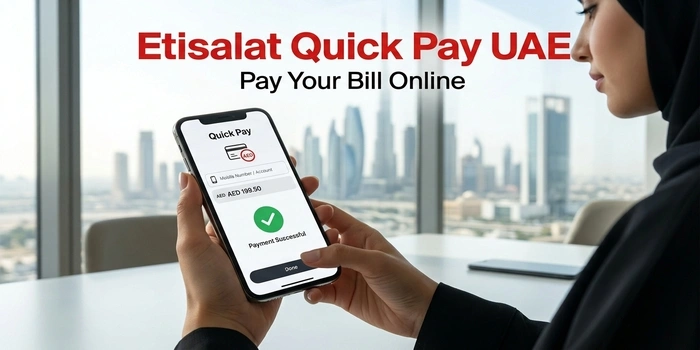
Etisalat Quick Pay is an online payment service from e& UAE that lets customers pay their Etisalat bills without going through the full account-login process. It can be used to pay eligible mobile, fixed-line and eLife bills online using a credit or debit card.
The service is useful when you want to make a quick payment, pay someone else’s bill, or settle an outstanding bill without opening the e& UAE app.
Table of Contents
What Is Etisalat Quick Pay?
Etisalat Quick Pay is e& UAE’s online bill-payment option for customers who want to pay their bills quickly.
According to e&, customers can use Quick Pay to pay their mobile, fixed-line and eLife bills through the online payment service. e& also provides bill payment through its website, the e& UAE app, Autopay, banks, payment machines and exchange houses.
The main advantage of Quick Pay is that you can make a payment without having to manage your account through the normal online-services login.
Etisalat Quick Pay Link
You can access the official Quick Pay service through the e& UAE website.
Quick Pay: etisalat.ae/quickpay
The official e& billing information currently directs customers to this Quick Pay address for online bill payments.
How to Use Etisalat Quick Pay
Follow these steps to pay your bill online:
- Open the official e& UAE Quick Pay page.
- Enter the required account or service details.
- Enter the amount you want to pay, where applicable.
- Review the payment information carefully.
- Continue to the payment screen.
- Enter your eligible card details.
- Complete the payment.
- Wait for the payment confirmation.
The current e& Quick Pay payment system shows the account number and payment amount before the transaction is confirmed.
After a successful payment, e& displays a payment confirmation and transaction ID, and says customers receive a confirmation SMS.
Can I Pay an Etisalat Bill Without Logging In?
Yes. This is one of the main purposes of Quick Pay.
e& specifically lists Quick Pay as a way to pay bills without going through the normal account-management process. Its current website also describes Quick Pay as an option for customers who want to pay eLife bills without logging in.
This makes Quick Pay convenient if you only need to make a payment and do not need to view your complete account.
If you want to get information about DU sim and Du sim offers you can check our guides.
What Bills Can I Pay With Etisalat Quick Pay?
e& currently states that Quick Pay can be used for:
- Mobile bills
- Fixed-line bills
- eLife bills
The service is therefore not limited to mobile customers.
If you are unsure which payment option applies to your service, check the service or account information shown on the Quick Pay page before completing the transaction.
Etisalat Quick Pay for Mobile Bills
If you have an e& UAE mobile postpaid account, Quick Pay can be used to settle your outstanding bill.
For postpaid customers, bill payment is separate from simply adding credit to the account. e& explains that a bill payment settles the bill, while credit balance can be used for additional usage or other services.
Therefore, if your objective is to clear an outstanding postpaid bill, select the appropriate bill-payment option rather than treating it as a normal prepaid recharge.
Etisalat Quick Pay for eLife
Quick Pay can also be used to pay eLife bills.
e& specifically lists Quick Pay as an option for paying eLife bills without logging into an account.
This can be useful if you need to make a quick home-internet or eLife payment but do not want to open the full account dashboard.
What Payment Cards Can I Use?
The current Quick Pay payment system states that GCC or locally issued credit cards are accepted for the payment process shown on its payment page.
Before submitting your payment, make sure your card is eligible and has sufficient available balance.
If a card is rejected, try another eligible card or use another e& payment channel.
Is There a Limit on Etisalat Quick Pay?
The current Quick Pay payment page states that the monthly bill payment limit is the Total Amount Due, while the recharge limit shown there is AED 300.
The applicable limit can depend on whether you are making a bill payment or a recharge, so check the amount displayed during the transaction before confirming.
Etisalat Quick Pay vs e& UAE App
Both options allow you to make payments, but they are useful in different situations.
| Feature | Quick Pay | e& UAE App |
|---|---|---|
| Pay a bill | Yes | Yes |
| View account details | Limited | Yes |
| View bill history | No full account dashboard | Yes |
| Manage services | Limited | Yes |
| Pay bills | Yes | Yes |
| Recharge | Available through Quick Pay & Recharge | Yes |
| Login required | Designed for quick payment without normal login | Account access required for account management |
The e& UAE app provides broader account-management features, including viewing bills, paying bills, recharging accounts, managing plans and accessing billing information.
If you only need to make a payment, Quick Pay is generally the simpler option.
Etisalat Quick Pay for Someone Else
You may also use e& payment services to pay bills for another person, depending on the account and payment method.
The e& UAE app explicitly supports paying bills for yourself and others.
For Quick Pay, enter the correct account information before confirming the transaction. Always double-check the account number and amount so the payment is applied to the intended account.
What Happens After Etisalat Quick Pay Payment?
After a successful payment, the e& payment system displays a confirmation message and transaction ID. The current payment confirmation page also states that a confirmation SMS will be sent.
Keep the transaction ID until you are sure the payment has been reflected on your account.
If the amount has been deducted from your card but the payment is not reflected immediately, avoid making another payment straight away. First check the transaction status and your payment confirmation.
Etisalat Quick Pay Payment Failed
If your Quick Pay transaction does not go through, check the following:
Check your card
Make sure your card is active, has sufficient funds and is accepted by the payment system.
Check the account details
A wrong account number can result in the payment being applied incorrectly or rejected.
Check the payment amount
Make sure the amount shown on the payment page matches the amount you intend to pay.
Check your internet connection
A weak connection can interrupt the payment process before confirmation.
Check whether the payment was actually completed
If your bank shows a deduction but you did not receive an e& confirmation, do not immediately submit another payment. Check your transaction details first.
Other Ways to Pay an Etisalat Bill
Quick Pay is not the only payment method available.
e& currently provides several options, including:
- e& UAE website
- e& UAE app
- Autopay
- Bank ATM and online banking
- e& payment machines
- Exchange houses
- Calling 101 or 125 and selecting the bill-payment option
This gives customers alternatives if Quick Pay is temporarily unavailable or a particular payment method does not work.
Pay Etisalat Bill Through the e& UAE App
If you regularly manage your Etisalat services, the e& UAE app provides more features than Quick Pay.
According to e&, the app allows customers to:
- Pay bills
- Recharge accounts
- View usage
- View previous bills
- Compare bills
- Manage plans
- Add or remove add-ons
- Pay bills for others
- Manage account information
For a one-time payment, Quick Pay may be faster. For regular account management, the app is more comprehensive.
Etisalat Quick Pay and Bill Due Dates
For postpaid customers, paying the bill by the due date is important.
e& says customers should pay their full bill before the stated due date. Its current billing FAQ explains that customers receive payment reminders and that unpaid bills can eventually result in service disconnection.
If you have an outstanding bill, using Quick Pay can be a convenient way to settle it online.
Frequently Asked Questions
What is Etisalat Quick Pay?
Etisalat Quick Pay is e& UAE’s online payment service that allows customers to pay eligible mobile, fixed-line and eLife bills without using the normal account-management process.
What is the Etisalat Quick Pay website?
The official Quick Pay address referenced by e& is:
etisalat.ae/quickpay
Can I pay my Etisalat bill online without logging in?
Yes. Quick Pay is designed to provide a fast online payment option without requiring the normal account-login process.
Can I use Quick Pay for an eLife bill?
Yes. e& specifically lists Quick Pay as a payment method for eLife bills.
Can I pay an Etisalat mobile bill through Quick Pay?
Yes. e& lists Quick Pay among its available bill-payment channels for customers.
What cards are accepted for Quick Pay?
The current Quick Pay payment page states that GCC or locally issued credit cards are accepted for the payment process shown there.
How do I know if my Quick Pay payment was successful?
After a successful payment, the system displays a confirmation and transaction ID. e& also states that a confirmation SMS will be sent.
Is Quick Pay better than the e& UAE app?
It depends on what you need. Quick Pay is convenient when you simply want to make a payment, while the e& UAE app provides broader account-management features such as bill history, usage, recharge and plan management.
Final Takeaway
Etisalat Quick Pay is a convenient way to pay an e& UAE mobile, fixed-line or eLife bill online without going through the full account-management process.
For a quick payment, use the official Quick Pay service. If you need to check your usage, view previous bills, manage your plan or access other account features, the e& UAE app is the better option.