
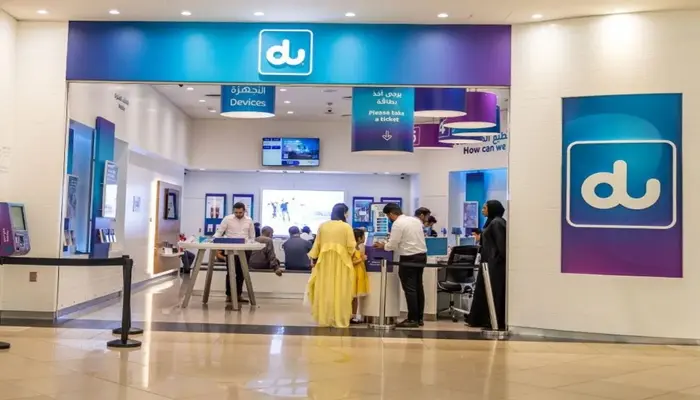
A DU SIM makes it easy to stay connected in the UAE, but finding the right code for a specific service can sometimes be confusing. Whether you want to check your DU balance, find your data balance, recharge your SIM, activate a package, check offers, or contact customer care, the quickest option is usually a DU USSD code or SMS service.
For prepaid users, the main DU self-service code is:
*135#
Dial this code from your DU number to access the available prepaid services.
Table of Contents
DU SIM Codes at a Glance
The following table puts the most commonly used DU SIM codes and methods in one place.
| DU Service | Code / Method |
|---|---|
| DU prepaid self-service | *135# |
| DU credit balance | *135#1# |
| DU prepaid plans | *135*3# |
| DU data plans | *135#5# |
| Prepaid plan balance | SMS bal to 1355 |
| Data plan balance | SMS balance to 1355 |
| DU deals | *055# |
| Deals balance | *102# |
| Borrow credit | *108# |
| DU customer care | 155 |
These codes are based on DU’s published prepaid service information. Some services may have eligibility requirements or change over time.
What Is the DU SIM Self-Service Code?
The main DU prepaid self-service code is:
*135#
Dial *135# from your DU SIM and press the call button. The menu provides access to several prepaid services, allowing you to manage your connection without contacting customer support.
Depending on your account and available services, you can use the menu for options such as prepaid plans, data services, balance-related services, and other account features.
DU SIM Balance Check Code
If you want to check your available DU prepaid credit, use:
*135#1#
How to Check DU Balance
- Open the dialer on your mobile phone.
- Enter
*135#1#. - Press the call button.
- Wait for the USSD response.
- Your available credit balance will be displayed.
You can also dial *135# to open the main prepaid self-service menu.
It is important to distinguish your credit balance from your data balance. They are separate, so checking your credit does not necessarily tell you how much mobile data remains in your package.
DU Data Balance Check
If you want to know how much data is left in your prepaid data plan, DU provides an SMS-based option.
Send balance to 1355.
After sending the message, you can receive information about the balance associated with your prepaid data plan.
This is useful when your internet is becoming slow or you want to know whether your current data package is close to expiry.
DU Data Balance vs Credit Balance
These two checks serve different purposes:
- Credit balance:
*135#1# - Data plan balance: Send
balanceto1355
If you have AED credit but your data package has finished, adding credit alone may not restore your data allowance. You may need to activate or purchase a data package.
DU Prepaid Plan Balance Check
To check the balance of a prepaid plan, DU lists the following SMS method:
Send bal to 1355.
This allows you to check information related to your active prepaid plan.
For a broader overview of your prepaid services, you can also use:
*135#
DU SIM Number Check
If you have forgotten your DU mobile number, avoid relying on old USSD codes found on random websites because these codes can become outdated.
You can instead check your number through your DU account or the DU App. Your phone’s SIM or mobile-network settings may also display the number depending on your device.
How to Check Your DU Number
You can try these options:
- Open the DU App and check your account information.
- Log in to your DU account.
- Check the SIM information in your phone settings.
- Contact DU customer care if you cannot find the number.
This is more reliable than using an unverified number-check code.
How to Recharge DU SIM
DU prepaid customers can recharge their SIM using several available methods.
For recharge through a recharge number, DU provides:
*135*rechargenumber#
For data recharge, DU lists:
*131*rechargenumber#
You can also use the DU App or other available DU recharge options.
How to Recharge DU SIM Using a Recharge Number
- Get your DU recharge number.
- Open your phone dialer.
- Enter the appropriate recharge code.
- Replace
rechargenumberwith your actual recharge number. - Press the call button.
- Wait for the confirmation message.
Always enter the recharge number carefully before submitting the request.
DU SIM Offers Check
DU provides a dedicated service for its Deal of the Day offers.
To access the deals service, dial:
*055#
To check your Deals balance, use:
*102#
For general prepaid services and available options, you can also use:
*135#
The offers available to you may depend on your DU number, plan, and current promotions.
How to Activate DU Prepaid Plans
To access DU prepaid plan options, dial:
*135*3#
Follow the instructions shown on your screen to select an available plan.
Before activating a package, check its:
- Price
- Data allowance
- Local minutes
- Validity
- Renewal terms
Package availability can vary, so the options shown through the DU service should be treated as the current options for your number.
How to Activate DU Data Plans
For DU prepaid data plans, use:
*135#5#
After dialing the code, follow the available options to select a data package.
If you regularly use mobile data for YouTube, WhatsApp, social media, navigation, or other applications, check the package’s validity as well as its data allowance before activating it.
DU SIM Activation
When you purchase a new DU SIM, activation depends on the type of SIM and how it was purchased.
For a new prepaid SIM, follow the activation instructions provided with the SIM or by DU.
If the SIM does not connect after activation:
- Restart your phone.
- Make sure the SIM is inserted correctly.
- Check whether your phone detects the SIM.
- Turn mobile network settings off and on.
- Check your account status.
- Contact DU customer care if the problem continues.
DU Prepaid SIM
A DU prepaid SIM allows you to use mobile services without committing to a traditional postpaid contract.
You can add credit when needed and choose available prepaid plans according to your usage.
A prepaid DU SIM can be useful for:
- Residents
- New arrivals in the UAE
- Visitors
- People who prefer prepaid services
- Users who want greater control over mobile spending
The DU App can also make it easier to manage your prepaid account, including checking usage, recharging, and managing available services.
DU Tourist SIM
A DU tourist SIM is designed for visitors who need mobile connectivity during their stay in the UAE.
It can be useful for tourists who need:
- Mobile internet
- Local calling
- Navigation
- Messaging
- Travel applications
- Communication with hotels and tour operators
Before purchasing a tourist SIM, check the current package price, validity, data allowance, and included minutes because tourist packages can change.
DU Tourist SIM Recharge
If your DU tourist SIM runs out of credit or data, you may need to recharge the SIM or purchase another available package.
For prepaid services, the main self-service option is:
*135#
You can also use the DU App where supported.
If you are using a tourist SIM, always check the validity of your package before purchasing additional data or credit.
DU eSIM
DU also supports eSIM services for compatible devices.
An eSIM works digitally instead of requiring a physical SIM card.
Before choosing a DU eSIM, make sure your phone supports eSIM technology. The activation process can vary depending on whether you are getting a new DU number or converting an existing physical SIM.
DU SIM Registration and Emirates ID
A DU SIM must be registered according to UAE telecommunications requirements.
When registering a DU SIM in the UAE, your identification details are important because mobile services are linked to the customer’s identity. If you want to learn more about the Emirates ID, including its purpose and related services, see our complete Emirates ID guide.
DU SIM Renewal
If your DU SIM or account requires renewal or an identification update, use DU’s current account-management options.
For residents, keeping identification information updated is particularly important because mobile services are linked to customer registration details.
If you are unsure whether your SIM requires an update, contact DU customer care rather than relying on outdated instructions.
DU Borrow Credit Code
If you run out of prepaid credit, eligible DU customers can use the Out of Credit service.
The DU borrow-credit code is:
*108#
DU also provides an SMS option:
Send 5 to 1080.
The service is subject to eligibility and applicable charges. Any borrowed amount and associated fee are generally recovered from a subsequent recharge.
DU Customer Care Number
If a DU code does not work or you have an account-related problem, you can contact customer support.
From a DU mobile
155
From another phone in the UAE
800 155
From outside the UAE
+971 55 5678155
Customer care can help with issues involving SIM activation, account access, packages, recharge, network problems, and other DU services.
DU SIM Not Working
If your DU SIM suddenly stops working, the problem may be related to the SIM, network, account, or device.
Try the following:
- Restart your phone.
- Remove and reinsert the SIM.
- Turn airplane mode on and off.
- Check your network settings.
- Check your DU balance and package status.
- Try the SIM in another compatible phone.
- Contact DU customer care if the problem remains.
If your SIM works in another phone, the issue may be related to your original device rather than the DU account.
DU Mobile Data Not Working
If your DU mobile internet is not working, first check your remaining data.
Send:
balance to 1355
You should also check whether:
- Your data package has expired.
- You have remaining data.
- Mobile data is enabled.
- Your phone has network coverage.
- Your APN/network settings are correct.
- Your account is active.
If your data balance is finished, you may need to activate another available data package.
DU SIM Quick Codes
For convenience, here are the most important DU codes again:
| Service | DU Code / Method |
|---|---|
| Prepaid self-service | *135# |
| Credit balance | *135#1# |
| Prepaid plans | *135*3# |
| Data plans | *135#5# |
| Prepaid plan balance | SMS bal to 1355 |
| Data balance | SMS balance to 1355 |
| Deals | *055# |
| Deals balance | *102# |
| Borrow credit | *108# |
| Customer care | 155 |
Frequently Asked Questions
What is the DU SIM balance check code?
The DU prepaid credit balance check code is:
*135#1#
What is the DU data balance check code?
Send:
balance to 1355
to check the balance of a prepaid data plan.
What is the main DU prepaid code?
The main DU prepaid self-service code is:
*135#
What is the DU recharge code?
For a recharge number, DU lists:
*135*rechargenumber#
How do I check DU prepaid plan balance?
Send:
bal to 1355
How do I check DU offers?
For DU’s Deal of the Day service, dial:
*055#
What is the DU customer care number?
Call 155 from a DU mobile or 800 155 from another UAE number.
What is the DU borrow credit code?
Dial:
*108#
if you are eligible for DU’s Out of Credit service.
Can I manage my DU SIM without using USSD codes?
Yes. You can use the DU App and your DU account to manage many services, including balance, usage, recharge, and available packages.
Final Words
For DU prepaid customers, *135# is the main code to remember. It provides access to a range of self-service options without requiring a call to customer support.
For specific services, use the relevant option:
- Credit balance:
*135#1# - Prepaid plan balance: SMS
balto1355 - Data balance: SMS
balanceto1355 - Prepaid plans:
*135*3# - Data plans:
*135#5# - Deals:
*055# - Deals balance:
*102# - Borrow credit:
*108# - Customer care:
155
Because telecom codes and offers can change, verify the available service options if a code stops working or DU introduces a new system.
For paying a different UAE telecom bill, Etisalat Quick Pay lets you settle charges online without logging in.
Pingback: DU SIM Offers UAE: Latest Offers, Codes & Data Deals
Pingback: Etisalat Quick Pay UAE: Pay Your Bill Online Without Login